If they take your phone, it protects itself.
KapoGuard is a dead-man's-switch for Android, built for two moments in this order: someone standing over you demanding you unlock it right now, and the phone being taken from you, locked or not. Triggers you choose, an OS-level lockdown, and a factory wipe option.
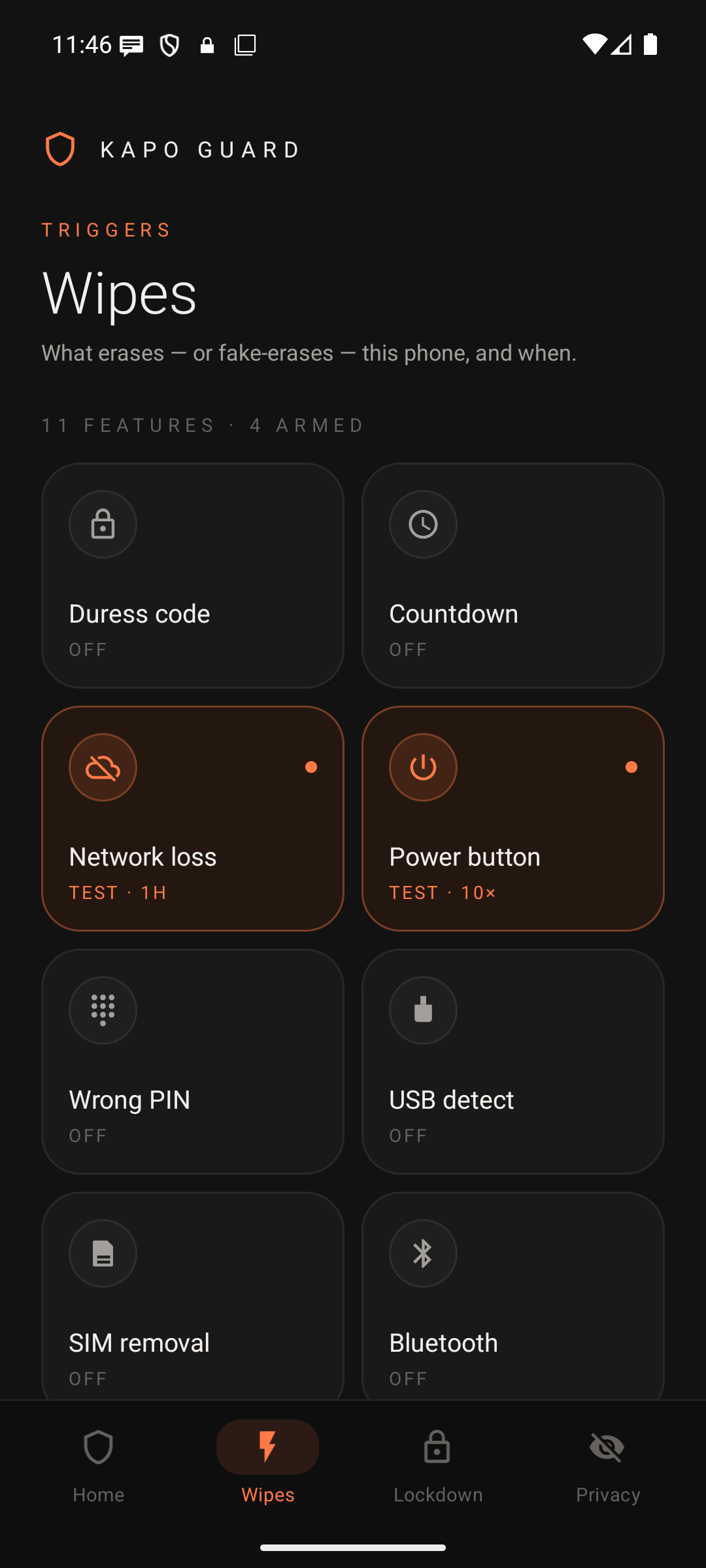
Every trigger below except Wrong PIN wipe can be rehearsed in a safe TEST mode before you arm it for real. Wrong PIN wipe is always a real erase.
USB / OTG detect
Meant to fire when a cable or forensic-extraction tool connects while the phone is locked. On GrapheneOS the system blocks USB data while locked, so this trigger does not fire there. On other Android phones it depends on the watchdog running and has not been tested.
Duress code
A code of its own that you type on the lock screen. It fires whenever its digits are typed in a row, even inside something longer, so it must not sit inside your real PIN or your private code, or a normal unlock would set it off. Kapo Guard can't see your PIN, so it can't check this for you. Your screen lock must be a number PIN: the code is typed on the number pad, and with a password or pattern it may not be recognised.
Countdown
Arm a duration. Miss the check-in and it acts on its own — the fallback for being seized while distracted, with no chance to act.
SIM removal
Notices a SIM being physically pulled from a locked phone. Detection usually takes up to about 15 minutes and can take longer when the phone is idle. Nothing is detected before the first unlock after a restart.
Bluetooth proximity
Pick a trusted paired device — a watch, a keyfob. Any disconnect while locked sets it off, after the wait you set, if any: going out of range, the device switching off or running out of battery, or Bluetooth or airplane mode being turned off, including from the lock screen. This phone shutting down or restarting may count too. It has not been tested with a real accessory.
Geofence
Entering a zone you define — a border, an airport — can switch USB detect back on and start a countdown you've set. The zone itself never fires anything. Needs location switched on.
Network loss timer
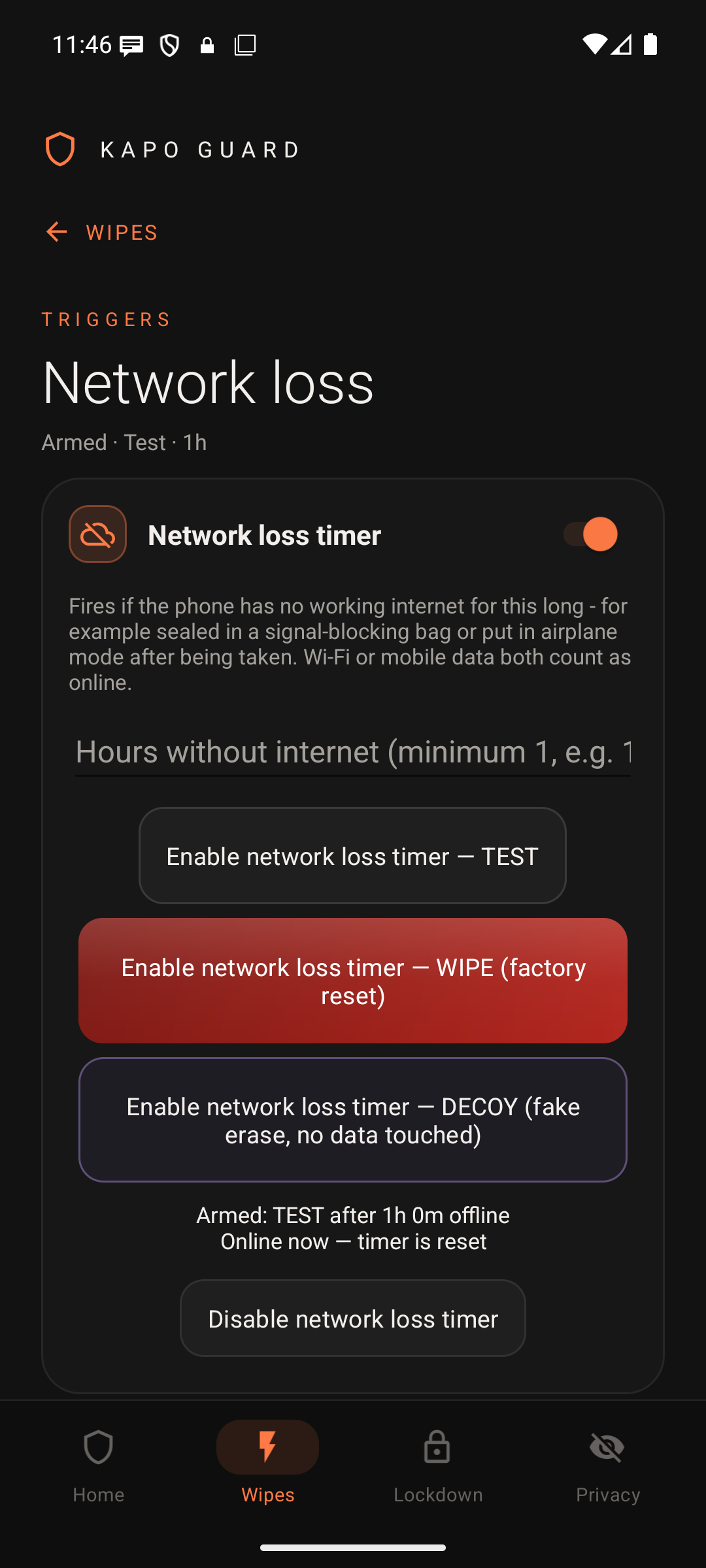
No working internet for the hours you choose — sealed in a signal-blocking bag, or forced into airplane mode — and it fires on its own. Still works after a reboot, before anyone unlocks the phone.
Power button quick wipe
Press the power button 10 times fast. Works from the lockscreen, with no app to open and no screen to unlock. Android's Emergency SOS starts at 5 presses, so turn it off in Settings if you don't want it to start too.
Wrong PIN wipe
After the number of wrong lockscreen attempts you set, Android itself wipes the phone — enforced by the OS, so it works even if KapoGuard isn't running. The limit is set on the main side only, so do not rely on it for wrong PINs on the private lock screen. It has no TEST mode: it is always a real erase.
Wipe by text message
Send a secret word from any phone to an app on the main side of the phone, such as SMS or email, and it fires. Apps on the private side don't count, even while that side is open, and the app must show the message text in its notification. Its notification is removed the instant it arrives; the message itself stays in the app until the phone is erased.
A wipe is only as strong as what can stop it running
The triggers above can fire a real factory reset, a convincing decoy, or just a safe test notification — your choice, per trigger. Wrong PIN wipe can only do a real factory reset, and Geofence fires nothing itself: it only arms what you've set up. But the deeper protection is what KapoGuard does to the phone itself the moment it's set up as Device Owner, the same mechanism enterprises use to lock down company phones.
The rest of the toolkit, for the moments that aren't an emergency.
Decoy mode
An obviously-wiped phone can be used against you during active detainment. Decoy mode shows a convincing fake erase instead — nothing is actually touched.
App Lock
Lock any installed app behind its own numeric code — separate from your duress code on purpose.
KapoNotes
A companion notes app. The whole app opens only with its own passphrase, and every note is encrypted.
Intruder photo
A silent front-camera photo on a wrong lockscreen attempt, kept inside the app, not in your gallery.
Auto reboot
Schedule the phone to reboot itself — after inactivity, or at a fixed time. A rebooted phone is cryptographically locked until the real passcode is entered once.
Silent alert
Texts one person you trust when a trigger fires. Before a wipe it waits at most 6 seconds for the text to send, then erases; with no signal or no SIM the text won't leave. Wrong PIN wipe sends no alert. Plain SMS, no account.
Anti-snatch
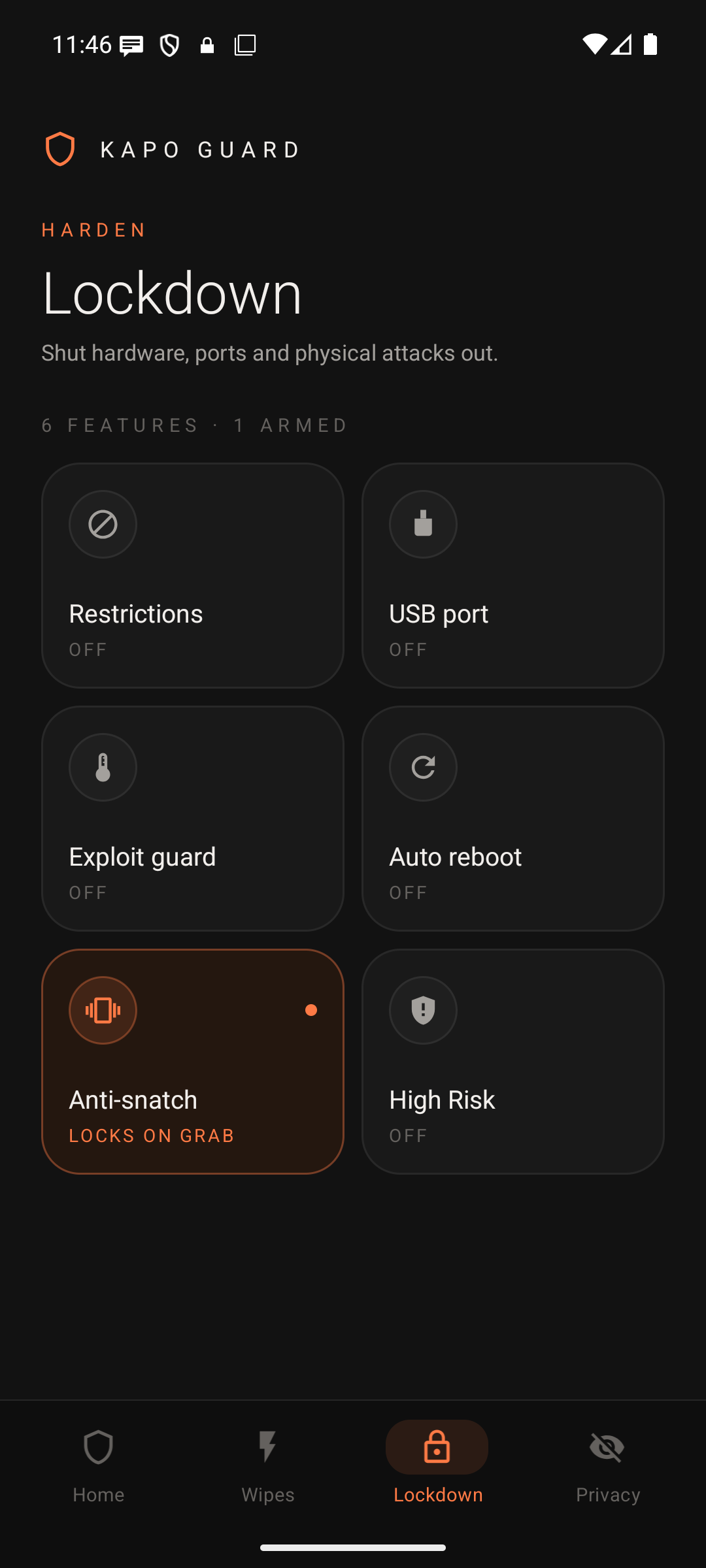
Locks the phone the instant it's yanked out of your hand while unlocked.
High Risk mode
Handing the phone over? For the time you set, every unlock is locked straight back and it restarts into its encrypted state every 10 minutes. It can't be stopped early.
Exploit protection
Reboots a locked phone back to its fully-encrypted state on signs of a hardware attack — sudden freezing, voltage glitching through the port, or a wireless-charging coil. Live sensor readings in the app.
Restrictions
Switch off what you don't need — 2G, NFC and UWB (on Android 14+), Bluetooth, camera, microphone, outgoing calls, SMS. Every one optional, so a daily phone keeps calls.
Private profile
Your normal phone becomes the decoy. A second code on the lockscreen opens a separate locked profile with your real apps.
USB port control
Block USB file transfer (MTP and PTP), always or just while locked. It does not stop forensic tools. A privacy layer on top of, not instead of, USB-detect above.
Inside the app
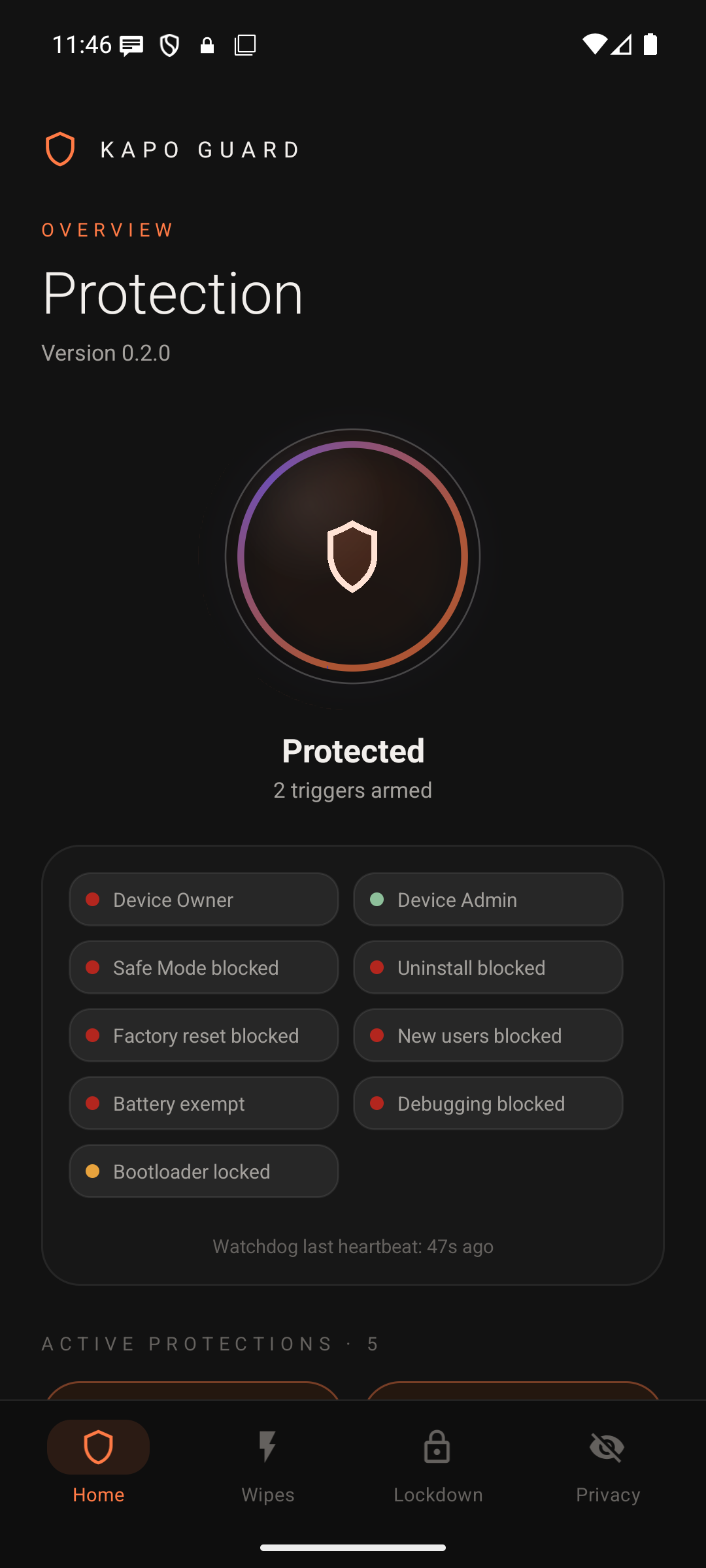
Protections sorted into tabs, with what's armed on Home. Tap a tile to set it up.
Why Device Owner, not just another app lock
What a typical anti-theft or app-locking app on the Play Store can't reach.
Lifetime licence
One payment. One phone. Yours for life.
- Every protection in Kapo Guard, unlocked on one phone. Many only work with Device Owner: see "Read before installing" below
- No subscription and no renewals
- Activates online. After that the licence is checked on the phone itself; entering the key again contacts our server
- Survives a factory reset only with Kapo Guard as Device Owner and the key entered after that. Otherwise activating again after a reset uses one of your 2 moves
- Moving to a new phone? Move it yourself, twice
- Pay in crypto — no account, no email, no name
Already bought? Get the user guide
The full guide (PDF) is for licence holders only. Enter your paid licence key to download it.
Get KapoGuard
Early access. Install it however you trust most.
USB installer: open it in Chrome or Edge on a computer, plug in a factory-reset phone with USB debugging on, and it installs KapoGuard, your chosen apps and privacy settings in one go.
Get a paid licence key first. Without one the app shows only its Activate screen. On a phone where it is Device Owner the lockdown still applies, and Finish setup and Remove protection are behind that screen, so without a key the way out is a factory reset from the recovery menu. Licence.
B662F83F568C47B8FCB1BD62E32AA84F00B95733917FFD04A7BFF3D4E27A1ECF
What's new in 0.4.3
- Fixed: an armed countdown, trigger wait or no-internet timer could fire by itself after an Android system restart. Kapo Guard now tells a system restart from a real reboot (Test this phone shows whether your phone supports this)
- New Open real phone button, only on phones without a private profile: it opens the real phone until the screen goes off, then Fake home comes back by itself
- The fake erase and fake power-off screens now come back if the app is killed or updated
- Shorter moments where the real home screen or recent apps could show through Fake home after the app was killed or updated
- Test this phone shows a red row if the phone can't tell a system restart from a reboot
In 0.4.1
- Safe place switch: keep your private side running at home so calls and messages still reach you, with a neutral "New notification" on the everyday face
- With Fake home on, the everyday face is now locked down: only Kapo Guard and the phone app, no recent apps or real Settings
- New Reboot action for triggers: the phone restarts and locks everything
- You can uninstall apps again: only Kapo Guard itself is protected (blocking all apps is now an optional switch)
- Apps set up on the private side reappear on the main side when the private profile is switched off
- High Risk mode now keeps its time across restarts and ends on time
- Fixed: a USB or SIM trigger could fire by itself when the app restarted while the phone was locked
- Clear names for the two Kapo Guard entries in Accessibility
In 0.4.0
- Private profile: your real apps live in a separate locked profile, opened only with your secret code plus its own PIN
- Screen off = private profile shut down and its keys locked; the phone shows the everyday face
- Fake home screen with believable apps, and a secret way back to KapoGuard (Phone, Calculator or Clock)
- Lock-screen code fixed for the newest Android (17)
- Stronger countdown and no-internet timers: setting the clock back no longer cheats them
In 0.3.2
- Intruder photo fixed: taken on every wrong PIN, even right after a restart before the phone is unlocked
In 0.3.1
- Factory reset protection: a phone reset from the startup menu can ask for your Google account, only if one was signed in at the reset and Kapo Guard is Device Owner on Android 11+. Not yet tried on a real phone, and setup itself needs a phone with no Google account
- KapoNotes rebuilt: the whole app opens only with your passphrase, every note encrypted, new design
- Removing Kapo Guard with your recovery code now returns a fully normal phone
- Licence key field fills in capitals and dashes for you
- Duress and decoy codes are picked up instantly after saving
In 0.3.0
- Lifetime licence, reboot after a wrong PIN, fake shutdown, panic button, SIM swap, encrypted settings backup
Set up Device Owner with no computer
The setup code couldn't load: its code library comes from jsDelivr, which didn't respond. Refresh the page or try another network.
For phones with Google's standard Android 12+ (for example a stock Pixel): on a freshly factory-reset phone, tap the Welcome screen six times during setup, connect to Wi-Fi, then scan this code. The phone downloads Kapo Guard and makes it Device Owner by itself, with no cable.
On GrapheneOS this code can't be used: its welcome screen has no code scanner. Use the setup page with a USB cable instead, the way Kapo Guard was tested on Pixel phones running GrapheneOS.
Needs a phone with no account added since its last reset. The no-cable route has not yet been tried end to end on a stock phone.